Sprinter GameSprinter Game

What is Sprinter Game?

Sprinter Game is a classic 100-meter dash racing game that first appeared back in 2006 and has stood the test of time. Created by Japanese indie developer Gamedesign.jp, this deceptively simple Flash-era gem has captivated millions of players with its addictive, rhythm-driven gameplay. Don't let the straightforward premise fool you — behind those stick-figure sprinters lies one of the most satisfying runner games ever made.

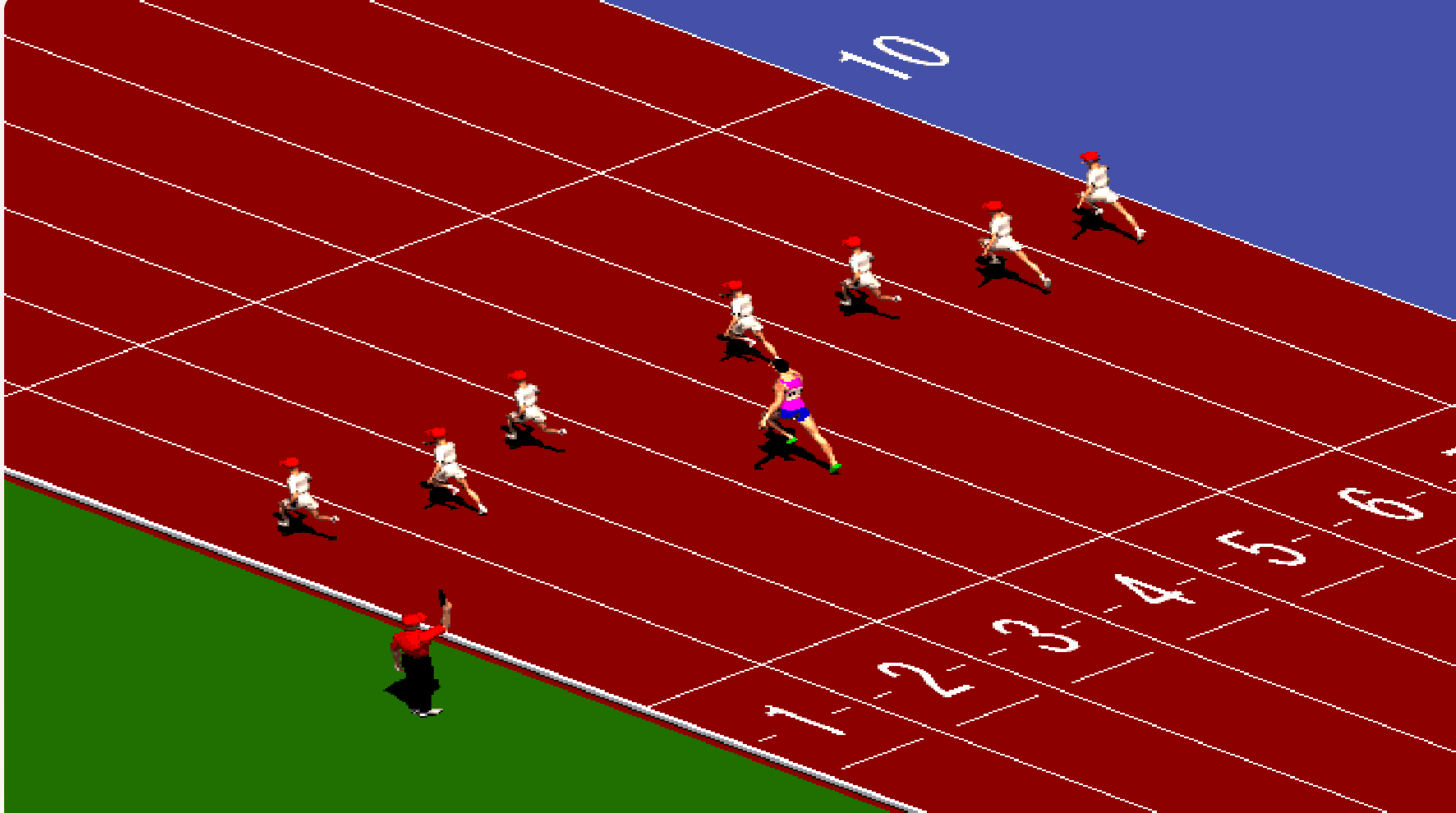
At its core, Sprinter Game is all about momentum. You line up on the track alongside seven other runners, the starting gun fires, and from that moment everything depends on how fast and how steadily you can pump those arrow keys. Each race is a 100-meter sprint — short, intense, and over in about 10 to 15 seconds. Win, and you advance to the next heat with faster opponents. Lose, and you try again. It's the kind of game you sit down to play for five minutes and suddenly realize an hour has slipped by.

Sprinter game screenshot — runners racing on the track

What makes Sprinter Game special isn't complexity — it's feel. The way your character builds speed as you find the right tapping rhythm, the split-second decisions when your timing slips, the genuine rush of surging past an opponent at the last moment. Each level introduces a new track, new competitors, and its own funky background track that somehow makes you tap faster. No installs, no sign-ups, no tutorials — just you, the starting blocks, and 100 meters of pure sprinting action.

How to Play Sprinter Game

The controls couldn't be simpler: tap your keyboard's Left Arrow (←) and Right Arrow (→) alternately, as fast and as evenly as you can. Think of it like drumming on your desk — left, right, left, right — the faster and more consistent your rhythm, the faster your sprinter tears down the track.

Keyboard diagram showing Left Arrow and Right Arrow keys

A few things to keep in mind as you step onto the track:

  • Find your groove. The key to winning isn't just raw speed — it's consistency. If you get too excited and lose your rhythm, your sprinter will stumble and lose precious momentum. Stay calm and find a pace you can sustain.
  • React fast at the start. The race begins the moment the starting signal appears. Hesitate and you'll already be playing catch-up from lane one.
  • Opponents get tougher. Every race you win pushes you into a more competitive heat. By the later levels, you'll be facing sprinters who barely leave any room for error.
  • Click the game screen first. If the arrow keys don't seem to respond when the race starts, click anywhere on the game area with your mouse — this ensures the game window has keyboard focus.

The game runs entirely in your browser — no downloads, no installations, no accounts required. Just open the page and start sprinting. Whether you're on a quick break or settling in for a longer session, Sprinter Game delivers instant, frictionless fun.

What Makes Sprinter Game So Addictive

Instantly Gratifying

Each race lasts about 10–15 seconds. You win or you lose, and you're immediately back in for another go. It's the perfect pick-up-and-play game — no loading screens, no cutscenes, just pure sprinting.

Surprising Depth

Beyond the simple controls lies a rhythm game in disguise. Mastering the tempo, recovering from stumbles, and finding the optimal tapping cadence are skills that develop over dozens of races.

Unforgettable Soundtrack

Every level has its own funky, upbeat theme tune — a charming touch from Gamedesign.jp that gives each race its own personality. The music is so catchy you might find yourself humming it long after you've stopped playing.

Timeless Appeal

Released in 2006 and still going strong with a 8.9/10 community rating, Sprinter Game proves that great game design doesn't age. It's as fun today as it was the day it launched — a true classic of the casual gaming world.

Sprinter gameplay collage — multiple race levels

FAQ

What is Sprinter Game and how do I play it?

Sprinter Game is a 100-meter dash racing game originally released in 2006 by Gamedesign.jp. To play, simply tap your keyboard's Left Arrow (←) and Right Arrow (→) keys alternately — as fast and as evenly as you can. The better your rhythm, the faster your runner sprints down the track. Win races to advance through 12 increasingly difficult levels.

How do I control my runner? The arrow keys aren't working!

First, click anywhere on the game area with your mouse — the Flash game needs keyboard focus to register your inputs. Once the game has focus, alternate tapping the Left (←) and Right (→) arrow keys. If you still have trouble, try clicking the game screen again or reloading the page.

Can I play Sprinter Game on my phone or tablet?

Sprinter Game was designed for keyboard play, so it works best on a desktop or laptop computer. On mobile devices, the arrow key controls don't translate well to touch input. For the best experience, play on a device with a physical keyboard.

How many levels does Sprinter Game have?

Sprinter Game has 12 levels in total. Each level features a different track with a unique background color and its own funky soundtrack. As you advance, the opponents get faster and more competitive, leaving less room for error. The game is short enough to finish in one sitting, but challenging enough to keep you coming back for more attempts.

Why does my runner stumble or slow down during the race?

Your runner stumbles when you lose the alternating rhythm — for example, pressing the same key twice in a row, or tapping unevenly. The game rewards consistent, even-paced tapping rather than frantic button mashing. If you stumble, don't panic: recover your rhythm and you'll regain speed. Staying calm under pressure is a key part of mastering Sprinter Game.

Do I need to download anything to play Sprinter Game?

No downloads or installations are required. The game runs entirely in your browser using Ruffle, a modern Flash emulator. No account, no sign-up, no plugins — just open the page and start playing. It works on all modern browsers including Chrome, Firefox, Safari, and Edge.

Can I save my progress in Sprinter Game?

Sprinter Game uses the classic Flash save system (SharedObject), which may or may not persist in the Ruffle emulator depending on your browser settings. Progress saving is not guaranteed. But since each race is only about 10-15 seconds long, you can easily jump back to any level with a bit of practice.

Why does the game look different from when it was on Flash?

Sprinter Game was originally built in Adobe Flash, which is no longer supported by modern browsers. We use Ruffle — an open-source Flash emulator — to run the game. Ruffle does an excellent job preserving the original experience, but you may notice very subtle differences in rendering, sound timing, or performance compared to the original Flash Player. The core gameplay, however, is exactly the same.